

Want to boost your coaching business? Here are 10 must-have tools:
- You’ve Got Clients: Find high-value clients
- Acuity Scheduling: Automate bookings
- Zoom: Host virtual sessions
- Trello: Manage projects visually
- MailChimp: Run email campaigns
- Hootsuite: Manage social media
- Stripe: Process payments easily
- CoachAccountable: Track client progress
- Toggl: Monitor your time use
- Teachable: Create online courses
Quick Comparison:
| Tool | Main Use | Key Benefit |
|---|---|---|
| You’ve Got Clients | Client acquisition | Attract committed clients |
| Acuity Scheduling | Appointment booking | Automate scheduling |
| Zoom | Video calls | Host virtual sessions |
| Trello | Project management | Visualize tasks |
| MailChimp | Email marketing | Grow your list |
| Hootsuite | Social media | Schedule posts |
| Stripe | Payment processing | Accept online payments |
| CoachAccountable | Progress tracking | Boost client results |
| Toggl | Time tracking | Improve productivity |
| Teachable | Course creation | Sell online courses |
These tools can help you save time, boost client satisfaction, and grow your coaching business. Pick the ones that fit your needs and budget.
Related video from YouTube
1. You’ve Got Clients

You’ve Got Clients is a tool for coaches who want more clients. It’s not just about getting any clients – it’s about getting the right ones.
Here’s what it does:
- Teaches you how to market your coaching
- Helps you create your own coaching programs
- Shows you how to make serious money coaching
The person behind it, LaTisha Styles, doesn’t care about cheap leads. She wants you to find clients who are serious and will stick around.
One cool thing about You’ve Got Clients is its high-ticket coaching funnel. This helps you:
- Avoid time-wasters
- Find clients who are ready to commit
- Make more money from each client
Let’s compare this to the old way of doing things:
| What | Old Way | You’ve Got Clients Way |
|---|---|---|
| Leads | Lots, but not serious | Fewer, but ready to buy |
| Client Value | Not much per client | A lot per client |
| Your Time | Wasted on tire-kickers | Spent on real prospects |
| Money You Can Make | Limited | Can grow big |
You’ve Got Clients also gives you tools to make your marketing look good and sound smart. This helps you stand out and show clients you know your stuff.
2. Acuity Scheduling
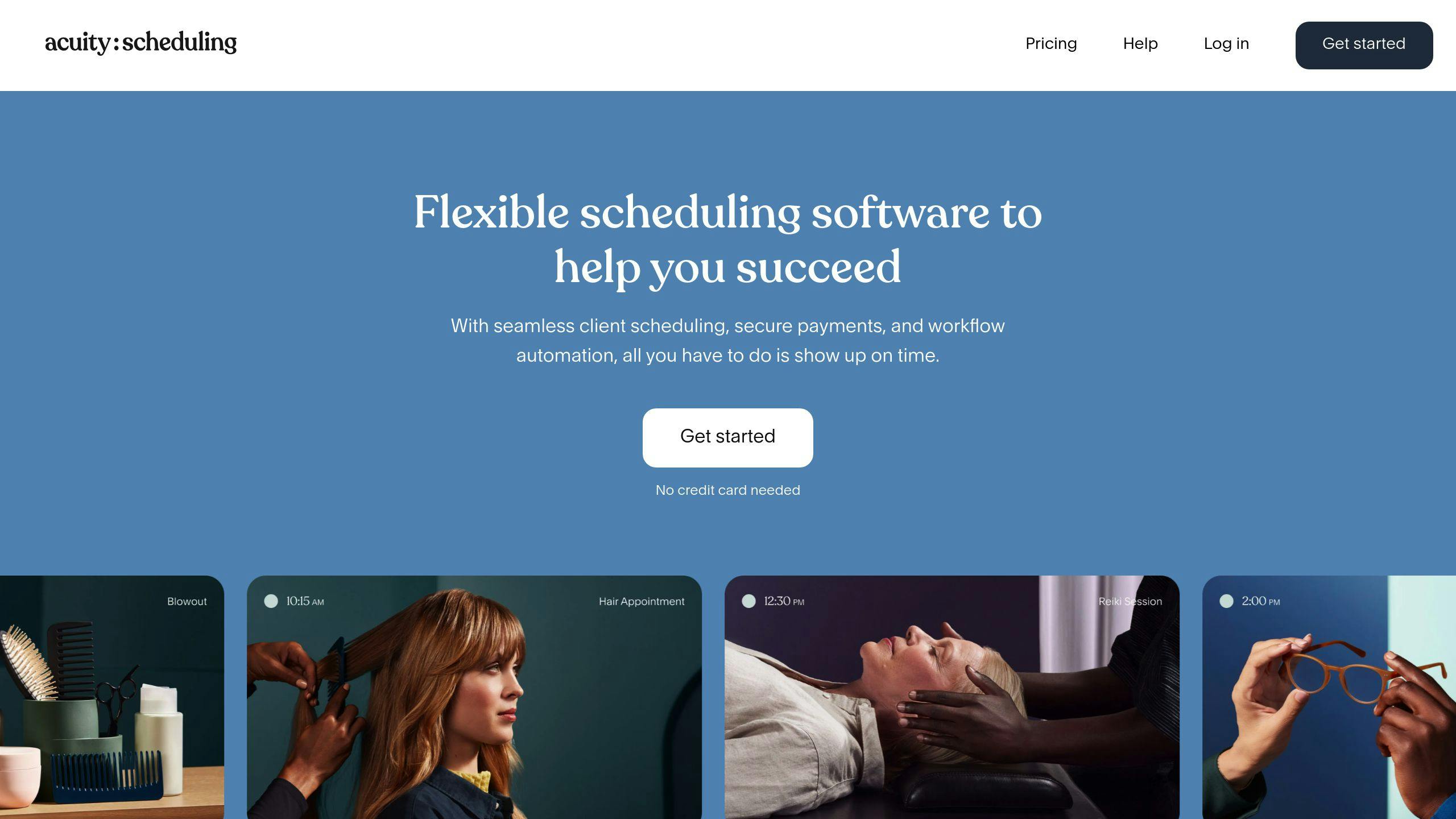
Acuity Scheduling isn’t just another calendar app. It’s a powerhouse for coaches who want to take control of their booking process.
Here’s the deal:
Acuity lets your clients book themselves. No more email ping-pong. They pick a time, pay upfront, and fill out your custom forms. And guess what? It sends reminders automatically. Say goodbye to no-shows.
But that’s not all. Acuity plays nice with your favorite tools:
- Video calls? Check. (Zoom, Google Meet, GoToMeeting)
- Payments? Yep. (Stripe, Square, PayPal)
- Calendars? Of course. (Google, iCloud, Outlook)
Want to offer packages or gift cards? Acuity’s got you covered.
Now, let’s talk plans:
| Plan | Price | Who It’s For |
|---|---|---|
| Emerging | $20/month | Solo coaches |
| Growing | $34/month | Paid consultation pros |
| Powerhouse | $61/month | HIPAA-compliant coaches |
The best part? You can try it free for 7 days. See if it’s your jam before you commit.
Bottom line: Acuity Scheduling lets you focus on what you do best – coaching. It handles the rest.
3. Zoom

Zoom isn’t just another video call app. It’s a coach’s secret weapon for connecting with clients anywhere, anytime.
Here’s why Zoom is a game-changer for coaches:
1. Face-to-face coaching, minus the travel
With Zoom, you can have those crucial one-on-one sessions without leaving your home office. It’s like being in the same room, but without the commute or coffee shop noise. Just pure coaching focus.
2. Record and review
Zoom lets you record sessions (with client permission). This feature is gold for:
- Helping clients revisit key moments
- Reviewing your own coaching style
- Creating highlight reels for marketing
3. Share your screen, share your wisdom
Got a presentation or worksheet? Share your screen and guide your client through it in real-time.
4. Breakout rooms for group coaching
Running a workshop? Use breakout rooms to split participants into smaller groups for discussions or exercises.
Want to make your Zoom sessions pop? Here’s how:
| Tip | Why It Matters |
|---|---|
| Use good lighting | Clients need to see your facial expressions |
| Invest in a quality mic | Clear audio is crucial for effective communication |
| Set up a professional background | It adds credibility to your coaching brand |
| Test your tech before calls | Avoid awkward "Can you hear me now?" moments |
4. Trello

Coaches need a way to keep multiple clients and projects organized. Trello, a free project management tool, is perfect for visual thinkers.
Why Trello works for coaches:
- Boards: Create separate boards for each client or project.
- Visual tasks: Use lists and cards to break down goals into smaller tasks.
- Collaboration: Invite clients to shared boards for easy updates.
- Customizable: Adapt Trello to fit your coaching style.
Here’s how one coach uses Trello:
"In my business I offer coaching, host a mastermind, and I have an integration agency where my team and I work with multiple visionaries at once bringing their dreams to life." – Kat Schmoyer, Business Owner
Kat manages 8-10 clients using Trello boards for launches and content planning.
Pro tip: Use Trello’s free Power-Ups to add features like deadline trackers and calendars.
Quick setup guide:
| Step | Action |
|---|---|
| 1 | Create a board for each client or project |
| 2 | Set up lists (e.g., To-Do, In Progress, Done) |
| 3 | Add cards for tasks or goals |
| 4 | Invite clients or team members |
| 5 | Use labels to color-code tasks |
Trello’s basic version is free. As you grow, upgrade for $5-$10 per user per month.
5. MailChimp

MailChimp is a top email marketing tool for coaches. Here’s why:
Free to start: 500 contacts, 1,000 emails/month. No cost.
Easy to use: Drag-and-drop interface. No tech skills needed.
Automation: Paid plans offer time-saving features.
MailChimp’s pricing:
| Plan | Monthly Price | Contacts | Key Features |
|---|---|---|---|
| Free | $0 | 500 | Basic templates, 1,000 sends/month |
| Essentials | $13 | 5,000 | All templates, A/B testing |
| Standard | $20 | 6,000 | Advanced automation, retargeting ads |
| Premium | $350 | Unlimited | Advanced segmentation, multivariate testing |
Pro tip: Start free, upgrade as you grow.
MailChimp connects with e-commerce platforms. Sell coaching services or courses via email.
Drawbacks:
- Free plan limits
- Interface can be tricky at first
But it’s still a solid choice. One coach says:
"I started off using Mailchimp when I was a newer coach, and I recommend it."
Email marketing helps coaches:
- Build a client pipeline
- Market online courses
- Deliver consistent value
To maximize MailChimp:
- Segment your list
- Use automation for welcome emails and follow-ups
- Track performance and adjust
sbb-itb-da9e620
6. Hootsuite

Hootsuite is a game-changer for coaches who want to level up their social media. It’s your all-in-one command center for managing social profiles.
Why coaches can’t get enough of Hootsuite:
- It’s a time-saver. Schedule posts across platforms in one go.
- Plan ahead with a content calendar. Keep your message on point.
- Track what works with built-in analytics. Data-driven decisions, anyone?
- Team up easily. Great for coaches with helpers or bigger setups.
Here’s the pricing breakdown:
| Plan | Price/Month | Social Profiles | Posts/Month |
|---|---|---|---|
| Professional | $49 | 10 | 350 |
| Team | $99 | 20 | 1000 |
| Business | $199 | 35 | Unlimited |
| Enterprise | Custom | 50+ | Custom |
Hootsuite’s not just talk. DaVita, a healthcare company, saw their LinkedIn traffic jump 136% using Hootsuite Amplify. Result? 27% more job applications from social media in a year.
What about coaches? Zaina Kroschinski from Remax Excellence Rental Advisors says:
"Hootsuite has helped my company reach our target audience on multiple trending social media platforms."
Want to squeeze more out of Hootsuite? Try these:
- Use the AI writer for fresh content ideas.
- Hit up Hootsuite Academy for free social media know-how.
- Let Auto Schedule pick the best posting times for you.
7. Stripe

Coaches need a simple way to get paid. Stripe fits the bill.
Why Stripe?
- Quick setup
- Works globally (130+ currencies)
- Handles one-time payments, subscriptions, and installments
Stripe’s pricing:
| Type | Fee |
|---|---|
| Domestic cards | 2.9% + 30¢ per transaction |
| International cards | Extra 1% fee |
Stripe offers more than just payments:
- Create invoices
- Manage subscriptions
- Design branded checkout pages
Tips for using Stripe:
- Use Stripe Checkout for a ready-made payment form
- Create Payment Links to sell without coding
- Turn on Apple Pay and Google Pay
Stripe keeps your data safe and helps turn one-off clients into steady income. It’s not perfect, but it’s a solid choice for most coaches.
8. CoachAccountable

CoachAccountable is a coaching management tool that makes life easier for coaches and boosts client results. Here’s what it does:
Key Features:
- Manage clients
- Track progress
- Set goals
- Create custom plans
- Handle invoices and payments
- Schedule appointments
- Share documents
It’s like a one-stop shop for all your coaching needs. CoachAccountable takes care of the boring stuff so you can focus on actual coaching.
Pricing: CoachAccountable’s prices depend on how many clients you have:
| Plan | Price | Clients |
|---|---|---|
| Starter | $20/month | 2 |
| Level 1 | $40/month | 5 |
Got more clients? They’ve got plans for that too.
Brian Icenhower, who’s been using CoachAccountable since 2017, says:
"Without CA, we were spending three hours a week with clients. Now it’s closer to 30 minutes. We’re able to get more clients, while spending less time, and giving them more value."
Talk about a win-win!
Cool Features:
- Happenings Reports: Automatically update clients or HR departments on progress.
- Client Exports: Download all client info for case studies or reviews.
- Direct Access: Let others see client progress without getting in the way.
CoachAccountable works on any device, no downloads needed. If you’re a coach looking to level up your game, this might be just what you need.
9. Toggl
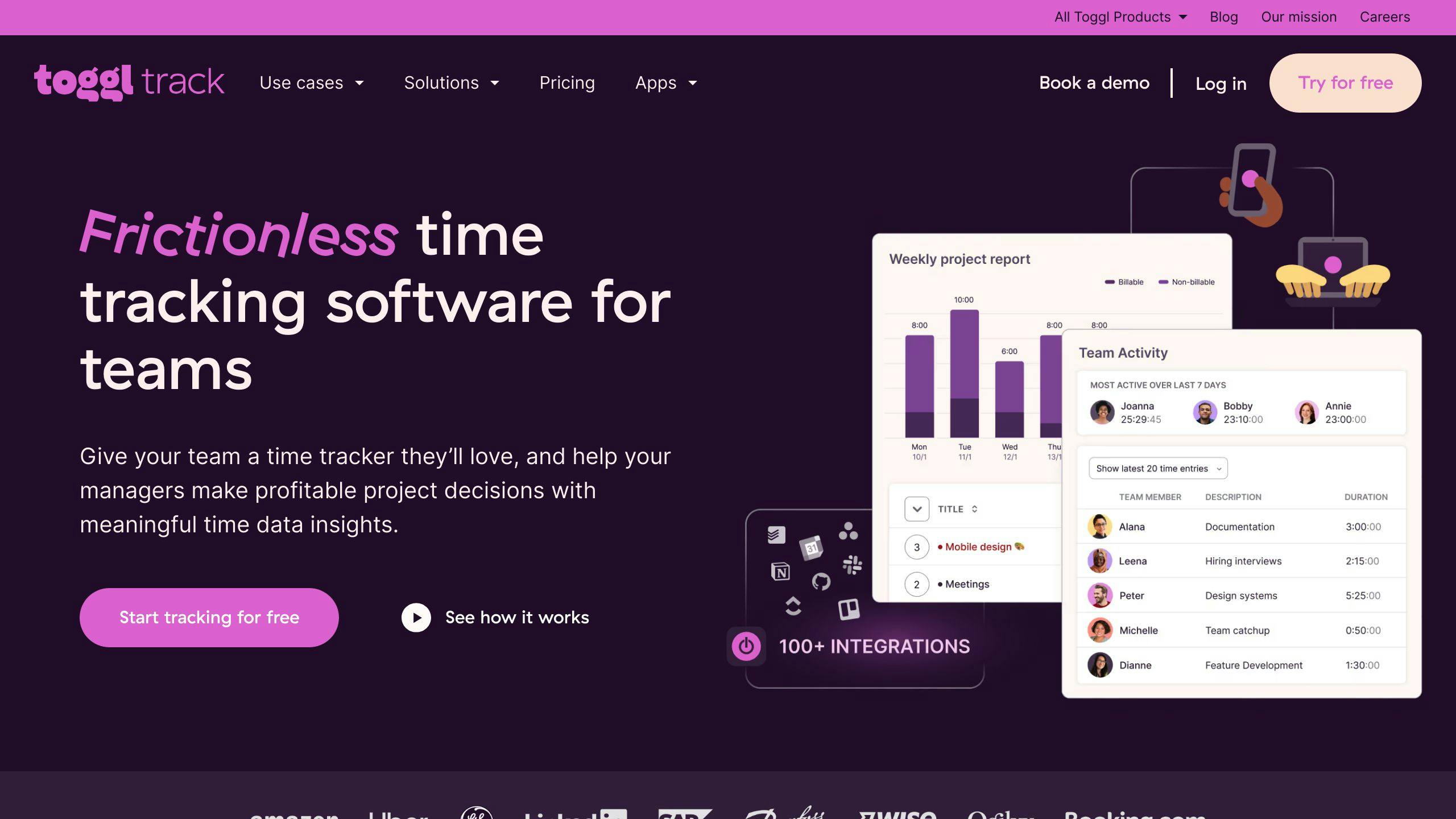
Toggl Track is a time-tracking tool that’s perfect for coaches. It’s not just about tracking time – it’s about understanding where your time goes.
Here’s why Toggl Track is awesome:
- One-click tracking
- Works on desktop, mobile, and Chrome
- Free for up to 5 users
But here’s the cool part: Toggl Track is more than just a timer. It’s packed with features to boost your coaching business:
| Feature | How It Helps You |
|---|---|
| Project dashboard | See time spent per client |
| Reporting | Check productivity and billable hours |
| Pomodoro timer | Stay focused |
| Integrations | Works with 100+ tools |
Plus, it works offline. No internet? No worries. Log hours and sync later.
Let’s talk pricing:
| Plan | Price | Who It’s For |
|---|---|---|
| Free | $0 | Solo coaches or small teams |
| Starter | $10/user/month | Growing practices |
| Premium | $20/user/month | Established businesses |
Coaches love Toggl Track. It’s got a 4.7/5 on Capterra and 4.6/5 on G2.
Pro tip: Use the Goals feature to set targets for billable hours or projects. It’s like having a built-in accountability partner.
10. Teachable
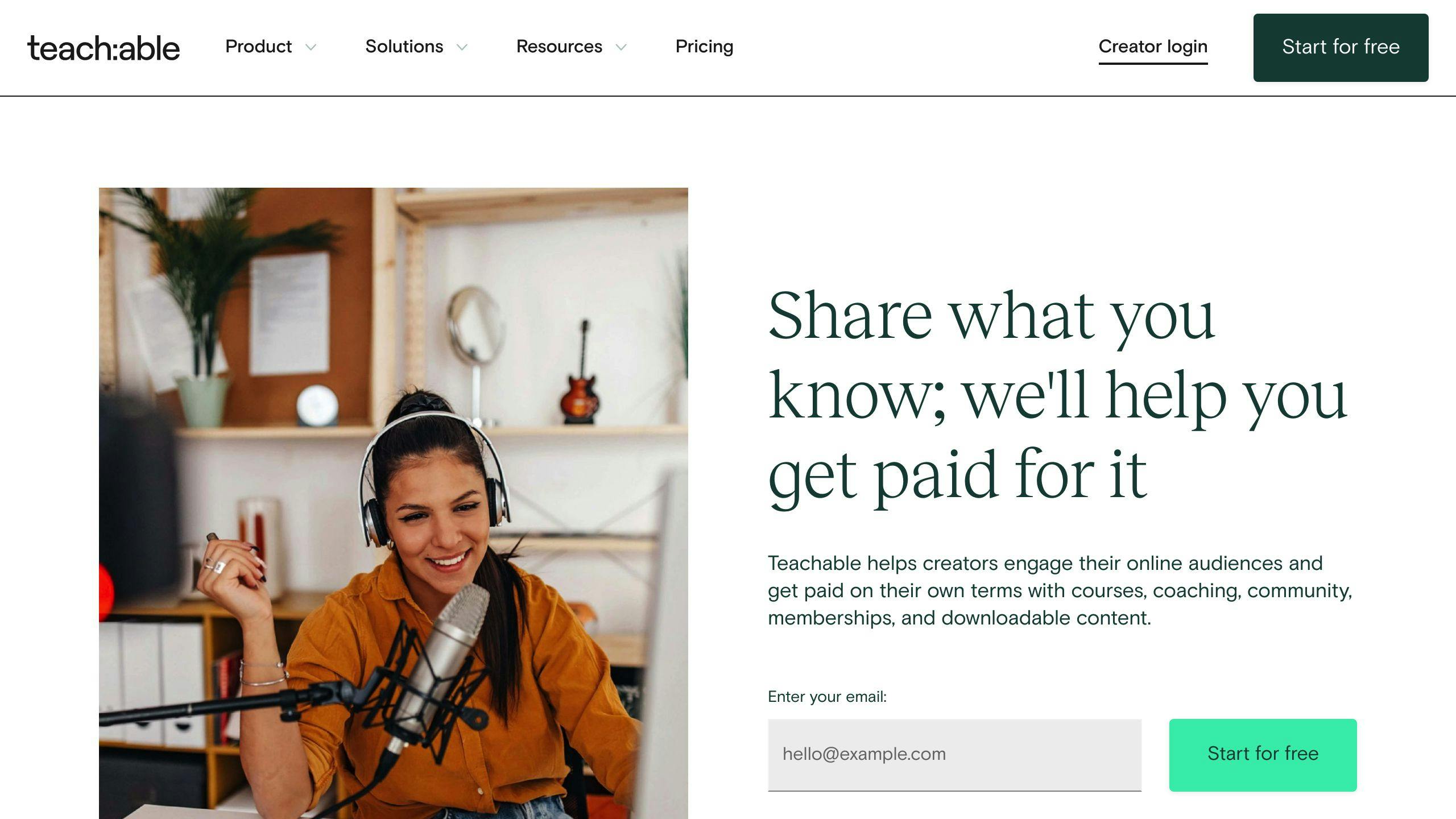
Teachable is a go-to platform for coaches looking to create and sell online courses. Here’s why it’s worth checking out:
Easy Course Creation No coding? No problem. Teachable’s drag-and-drop interface lets you build courses and upload videos, PDFs, and other materials in a snap.
Flexible Pricing Teachable offers various pricing models:
| Model | How It Works |
|---|---|
| Free | Offer tasters to hook students |
| One-time | Single fee for full access |
| Payment plan | Split the cost |
| Subscription | Recurring payments |
Marketing Tools Promote and sell your courses with:
- Custom sales pages
- Checkout pages
- Thank you pages
- Upsells and bundles
Coaching Features Teachable now includes:
- Intake forms
- Pricing plans
- Sales pages for coaching
Proven Success Teachable’s track record speaks for itself:
- 100,000+ creators
- 5+ million students
- $50+ million in sales
Pricing Choose from four plans:
| Plan | Monthly | Annual |
|---|---|---|
| Free | $0 | $0 |
| Basic | $39 | $29 |
| Pro | $119 | $99 |
| Business | $299 | $249 |
Pro and Business plans offer 0% transaction fees, saving you money as you grow.
Conclusion
The right tools can supercharge your coaching business. Let’s recap the 10 tools we’ve covered and how they can help you succeed.
When picking tools, think about:
- What you actually need
- How your clients will use them
- If they’re easy to learn
- If they work with your current setup
- If they can grow with your business
Remember: Tools help you coach. They don’t replace you.
Here’s the deal:
- Use tools to handle the boring stuff
- Pick ones that get your clients excited
- Make sure they’re easy for everyone to use
By using these tools smart, you can:
| What You Get | How Much |
|---|---|
| Time saved | 6 hours/week less admin work |
| Confident clients | 80% feel more sure of themselves |
| Better results | 70% do better at work and talk better |
| Money well spent | 86% of companies get their money’s worth |
But here’s the thing: tools only work if YOU use them right. Keep focusing on what your clients need. Always try to get better.
With the right tools and a focus on your clients, you’re set to rock your coaching career and really help people.